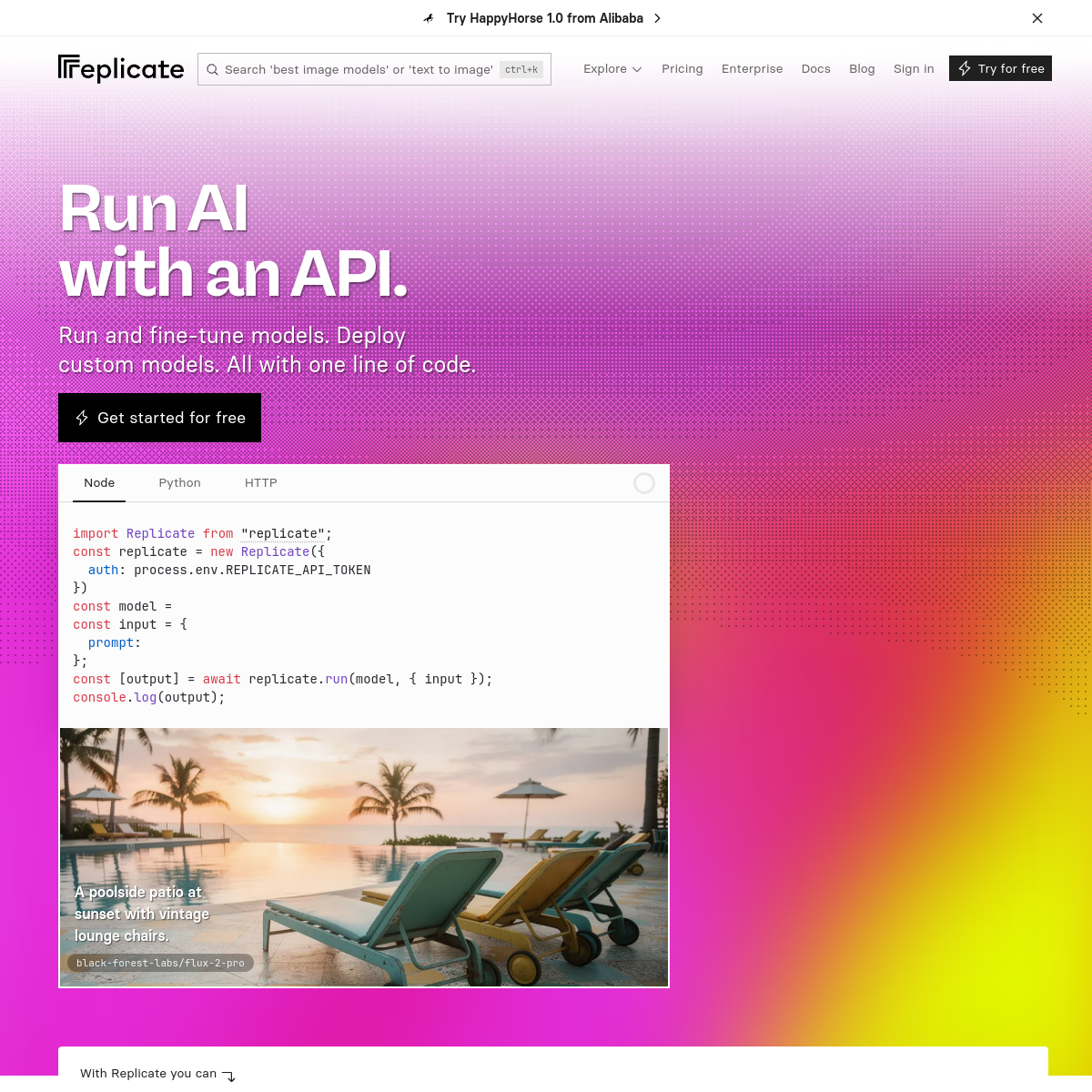
AI infrastructureAPI-firstdeveloper-focusedcloud-native
AWS for AI models
02
Color
#EA2804Accent
#202020Ink
#646464Ink soft
#FCFCFCBG
#F0F0F0BG soft
#F9F9F9BG quiet
#BBBBBBMuted
rgba(204,204,204,0.5)Line
High-contrast utility with expressive gradient hero accents
03
Typography
grotesque-sans · humanist-sans · monospace
display64px · 700
heading36px · 700
body16px · 400
Headlines use tight letter-spacing and high weight for impact · Code snippets use monospace with syntax highlighting · Text over gradients maintains high contrast for readability
04
Spacing
4px
8px
16px
24px
32px
48px
64px
96px
Standard 4px grid with generous whitespace around major sections
05
Surfaces
sm · 4px
md · 8px
lg · 12px
pill · 9999px
1px solid #202020 on interactive elements, none on cards
rgba(0, 0, 0, 0.25) 0px 25px 50px -12px
06
Layout
1280container
12columns
24pxgutter
768 / 1024breakpoints
Full-width hero with centered content, followed by grid-based feature sections
07
Motion & Interaction
150msmicro
200mssmall
500msmedium
cubic-bezier(0.4, 0, 0.2, 1)easing
Color transitions on interactive elements · Opacity fades for loading states · Smooth hover effects on buttons and links
Color shift and subtle opacity change on text links and buttons · Immediate visual feedback with transition
08
Components
buttonSolid black pill with white text and lightning bolt icon, or outlined pill for secondary actions
cardClean code blocks with syntax highlighting and tabbed interfaces for language selection
chipTabbed language selectors (Node, Python, HTTP) with underline active state
inputSearch bar with rounded corners and keyboard shortcut hint
heroLarge gradient background with bold typography and prominent CTA
09
Voice & Don'ts
ToneProfessional, technical, and confident
HeadlinesShort, imperative statements that emphasize simplicity and power
CTAsAction-oriented with clear value proposition
Don't use multiple accent colors — screenshot shows red as the only high-chroma accent
Don't use rounded corners on code blocks — screenshot shows sharp corners on code panels
Don't use serif fonts for headings — screenshot shows consistent use of sans-serif for all typography
Don't add drop shadows to most UI elements — screenshot shows minimal use of shadows only on specific components
Don't use full-width buttons — screenshot shows buttons with standard padding and pill shape
Don't use centered text for long paragraphs — screenshot shows left-aligned body text
Don't mix different button styles within the same section — screenshot maintains consistent button styling
Avoid: Marketing jargon
Avoid: Overly casual language
Avoid: Complex technical explanations in headlines
Captured from the live site · real computed styles
11
System prompt
Replicate is a developer-focused AI platform with a clean, professional interface that emphasizes simplicity and technical capability. The design uses a light background (#FCFCFC) with black (#202020) text and red (#EA2804) accents, creating high contrast for readability. Typography combines humanist-sans for body text with a grotesque-sans display font for headlines, plus monospace for code. Key colors are the gradient hero (pink to red to yellow) and the consistent use of black and white for UI elements. Critical design rules: don't use multiple accent colors, maintain sharp corners on code blocks, and keep typography consistently sans-serif throughout. The layout is spacious with a 12-column grid, generous whitespace, and clear visual hierarchy that guides developers through the technical content.
Bring this taste to your agent
Hand your AI agent a machine-readable spec of this design — tokens, type, motion, the whole DNA.